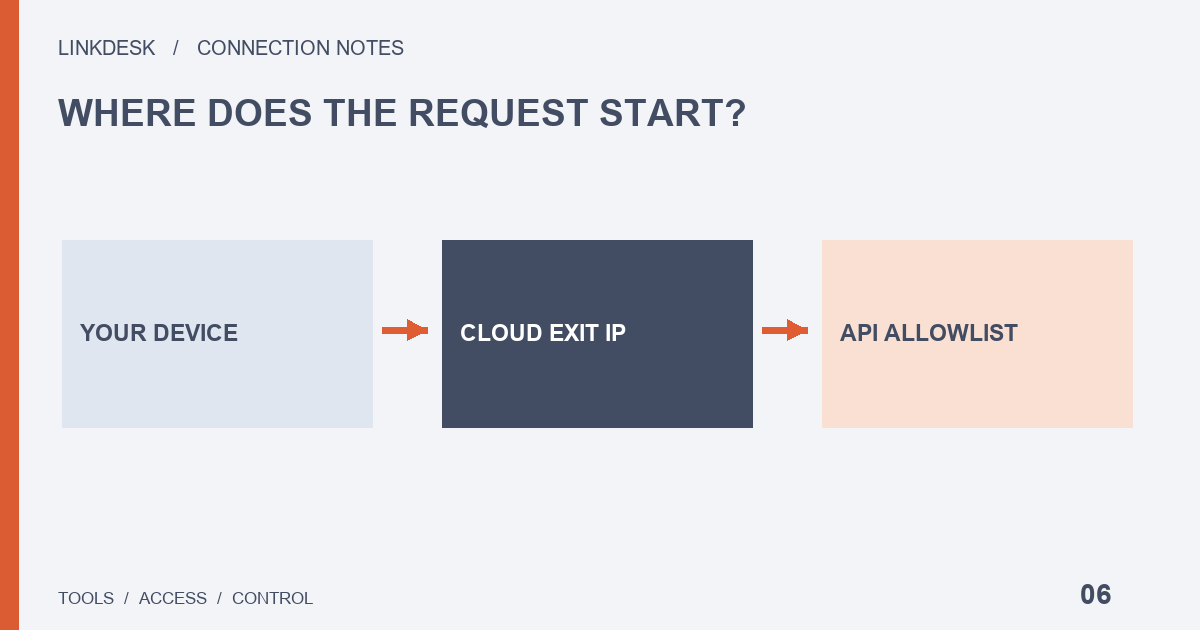
Allow the trusted address that actually sends API requests. Your browser’s public IP is often different from a cloud provider’s outbound server address.
Yesterday it synced; today it fails
Take a dashboard that synchronized yesterday and now reports a connection failure. The tempting fix is to add whatever IP you can see, or to switch the restriction off. Start somewhere else:
- Ask the operator whether it moved servers, changed regions or replaced a fixed outbound connection.
- Ask which address the failed job used. Being able to open the dashboard website does not answer that.
- Once a change is confirmed, update only the matching allowlist entry and leave the key’s permissions as they are, so the result can be attributed to that one edit.
The rest of this guide explains why each of those steps points away from your own browser.
Trace the request, not the browser
Draw three boxes: your browser, the tool’s service and the exchange API. Clicking refresh may instruct the service to fetch data rather than make your browser fetch it directly. A desktop application can also rely on a remote backend. Ask where the account request runs and who operates that component. This small diagram determines who can provide meaningful evidence about the outbound address.
Four addresses people confuse
| Address | What it is | Goes on the allowlist? |
|---|---|---|
| Your browser’s public IP | Where you view the dashboard from | Only if your own machine sends the API requests |
| The tool’s website host | Serves its marketing or login pages | Not by default; it may never touch your account |
| A container or home-router address | An internal or upstream hop | No; the exchange sees the public egress, not this |
| The documented outbound (egress) address | Where account synchronization leaves the provider’s network | Yes, once confirmed from the provider’s official list |
For a managed product, request its documented outbound list; for your own program, inspect the path from the machine that runs it. The current Binance key-creation guide specifies IPv4 restrictions, so follow the format your account interface accepts.
Keep the source with the address
Obtain the list from the verified provider website or its authenticated connection instructions. Record the document URL, review date, applicable region and product version. A copied community screenshot cannot establish that its addresses belong to your current service. Multiple addresses may support redundancy, but the provider should explain their role. Confirm discrepancies through an existing official support channel before adding anything.
After the edit: a fresh read, or a network failure?
Use the tool to perform one authorized read operation and record the completion time and the age of the returned data; a green badge might only reflect cached status.
If it still fails, ask whether the application actually received an upstream status code. A failure before any network connection is established says little about an API allowlist, while a received authentication error does. Invalid-key errors can involve IP restrictions, but the code alone does not prove the allowlist caused this failure. Intermittent success deserves a node check too: one job may use an allowed primary server while another goes out through a backup route.
Plan for the next change
If the provider cannot explain its outbound addresses, decide whether the connection is maintainable before proceeding. Removing restrictions should not be the routine repair. Keep a separate key label and an official notification channel for each service. After a migration, confirm that the old route is retired before removing obsolete entries, and resist collecting every address ever associated with the provider; ask for the current supported set and how changes are announced. An allowed server can still run untrustworthy software: location restrictions do not replace appropriate access permissions.
Support request checklist
- The read function that failed and the last time it succeeded
- Any network or server change in between, as far as you know
- The non-sensitive error category, environment and tool version
- The official document you took the address list from
Leave out credentials, complete signed URLs and private balances. Close the ticket only after a newly completed synchronization is visible.