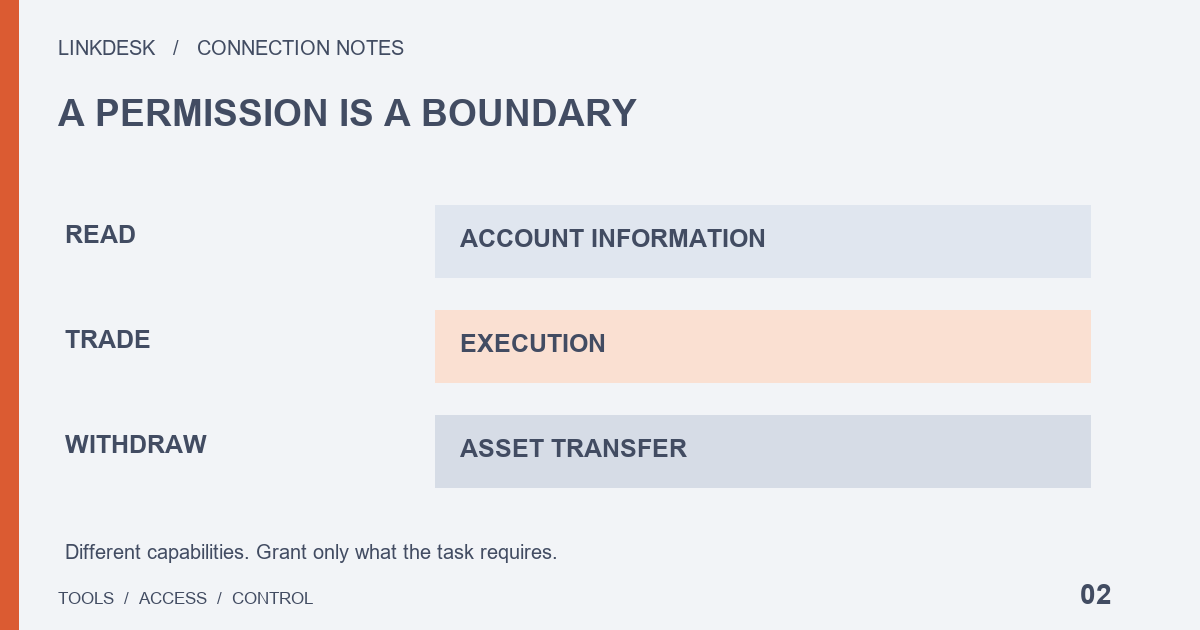
Set permissions around the task. A portfolio dashboard normally needs reading; trading access can cause losses; withdrawal access is not a routine requirement for connecting tools.
Reading still exposes private data
Read-only access generally cannot execute trades, but can expose permitted balances, orders or trading records. Those records reveal positions and behavior. Review the provider’s retention, deletion and access-control practices, not just whether it can withdraw funds.
Trading changes what you own
A trading tool needs the corresponding placement and cancellation capabilities. Unexpected trades can create fees, unwanted positions or poor fills. Disabling withdrawals limits one route out of the account but does not remove trading risk. We do not guarantee a tool’s safety or returns.
Compare two permission lists
Example A: a portfolio summary needs reading as required, with trading and withdrawals disabled. Example B: a spot execution tool may need reading and spot trading following its official instructions, while withdrawals generally remain unnecessary. These are use-case checks, not certification of a named product.
Whose IP belongs on the list?
A cloud tool usually sends requests from its own server. Your home connection may not be its outbound address. Obtain the required IP ranges from the tool’s official documentation and check the platform’s accepted format. Do not allow every IP to fix a mismatch. Recheck when a provider moves servers.
Turn a feature claim into a permission decision
A product promising “secure synchronization” has not yet described what you are authorizing. Write four headings: feature, necessary information, permitted action and failure handling. For a weekly allocation view, the feature is a summary, the information is the relevant balances, the action is reading, and a sensible failure response is an explicit stale-data notice. Trading access has no obvious place in that example. Ask the provider to connect each additional permission to a feature you have actually chosen.
Keep the decision understandable months later. Record which optional features remain disabled and what change would trigger another review. Do not start with every capability the product sells and work backward toward granting all of them. If the smallest supported connection still exceeds your needs, using a manual report or choosing another connection method is a valid outcome.
Review inputs, not just the finished chart
A dashboard showing one total may collect detailed records to calculate it. The visible result does not establish the scope of the input. Ask which account areas and historical records it retrieves, where calculations happen, who can access stored records and what happens after disconnection. Encryption answers a different question from retention or deletion; one reassuring statement does not resolve them all.
Also consider the report you export. Sharing a full spreadsheet with several collaborators creates additional copies outside the original connection. Give a collaborator only the detail required for the task. A public demonstration or a sample report can help you judge presentation before exposing your own history, although a demonstration cannot establish that real synchronization will be complete or correct.
Treat execution access as a separate product decision
If you want only a portfolio view but the product bundles automatic rebalancing, ask whether the view works with a smaller permission set. A bundled package is a commercial design choice, not proof that your task needs every capability. Where execution is genuinely required, establish who can change settings, who can resume a stopped task, how actions are recorded and how you can stop access independently.
Distinguish a limit displayed inside the tool from a limit enforced by the platform. Ask where a promised control operates and what happens when it fails. Do not turn an undocumented claim into an established protection. This review concerns connection behavior; a strategy chart or a return claim cannot answer questions about operating controls.
Make withdrawal requests explain their purpose
Reading, trading and withdrawing are not levels that must be unlocked in sequence. Each capability needs its own reason. If an analytics product requests withdrawal access, pause and ask what action requires it, why the user cannot perform that action in the official interface, and who can initiate it. A generic reassurance from support does not supply that explanation.
Equally, disabling withdrawals does not make every other permission harmless. Describe the decision precisely: withdrawal access is not granted for this use, while data access and any execution capability still require review. Specialized services involving asset movement need a separate assessment rather than an automatic extension of a portfolio-dashboard checklist.
Separate connections and assign maintenance
Sharing one key across several services makes it harder to identify which connection is responsible for an issue or what revocation will interrupt. Keep distinct, non-sensitive labels and a short record of purpose, responsible person, official instructions and review triggers. Do not put balances or secrets in labels.
For collaboration, distinguish the person managing the exchange connection from people merely viewing reports. A member role inside the tool is a different control from the platform permission granted to the tool. Passing a Secret around is not a sound handover method. A handover should explain the live connections and supported credential replacement process without distributing old credentials through chat.
Ask how requests leave the provider
Draw a simple path from your browser to the provider and then to the platform. Determine which machine sends API requests. A hosted tool and a local application can have different network arrangements. Ask where the provider publishes outbound addresses and how it announces changes. Keep the official source and the date checked.
An allowed IP is a network condition, not a complete assessment of the provider. It does not tell you which employees can access stored data or which internal actions need approval. Review it alongside the permission scope. When an address change is announced, verify it through the provider’s existing official channels before changing access; a private message with an urgent threat is not an adequate change notice.
Use a support answer that you can revisit
A practical question is: “I only need balance summaries. Is a read-only connection fully supported? Which records do you collect, and how does revocation affect the connection?” Save the answer, applicable product version and unresolved points. If sales copy, help pages and support disagree, request clarification rather than combining the most favorable sentence from each.
The outcome can be proceed, wait for an explanation, or stop this setup. You do not need an invented security score. A famous brand or a large community may justify further investigation, but neither establishes that a requested permission matches your purpose.
A new feature asks for more access
Suppose a portfolio tracker adds an automatic trading feature, but you still only want to see balances. Ask whether the new feature can stay disabled and whether balance reporting works with the permissions you already granted. A product update is not, by itself, a reason to authorize trades.
Before accepting a new permission prompt, find out which action needs the change and where you can turn it off. If the provider cannot explain why a read-only feature needs trading or withdrawal access, leave that connection unchanged while you ask. A successful balance refresh answers one question: that read worked. It does not establish that broader access is necessary or that the provider has deleted older copies of your data.