Planned rotation focuses on a controlled cutover. Suspected exposure calls for revoking affected access and addressing the exposure before reconnecting.
Maintenance or exposure?
Routine maintenance aims to switch a reading service predictably and retire its previous authorization. A credential appearing in a public repository, an unsolicited conversation or an uncontrolled screenshot changes the objective to preventing further misuse. Everything below splits on that question. A rotation plan should reflect the actual service and exposure, not an invented universal number of days.
If the key may be exposed
Do not wait for a polished replacement while knowingly keeping suspicious access active. From a trusted device, revoke affected credentials through the official account entry point and review whether suspicious access is broader; where the scope is uncertain, follow official security support guidance. Record the discovery time and exposure location with appropriately redacted evidence, and avoid further handling in unknown troubleshooting tools.
Repositories, tickets, extensions and service storage are investigation possibilities, not proof that any particular component was compromised. Removing a secret from a repository’s latest file does not erase history or downloaded copies. Revocation ends the old authorization; fixing storage addresses recurrence. If a device or provider remains suspect, keep the connection paused — pasting a replacement into the same conversation, log or unexplained service simply repeats the exposure. Recovery needs a resolved access path, not merely different characters in a field.
Planned rotation in three passes
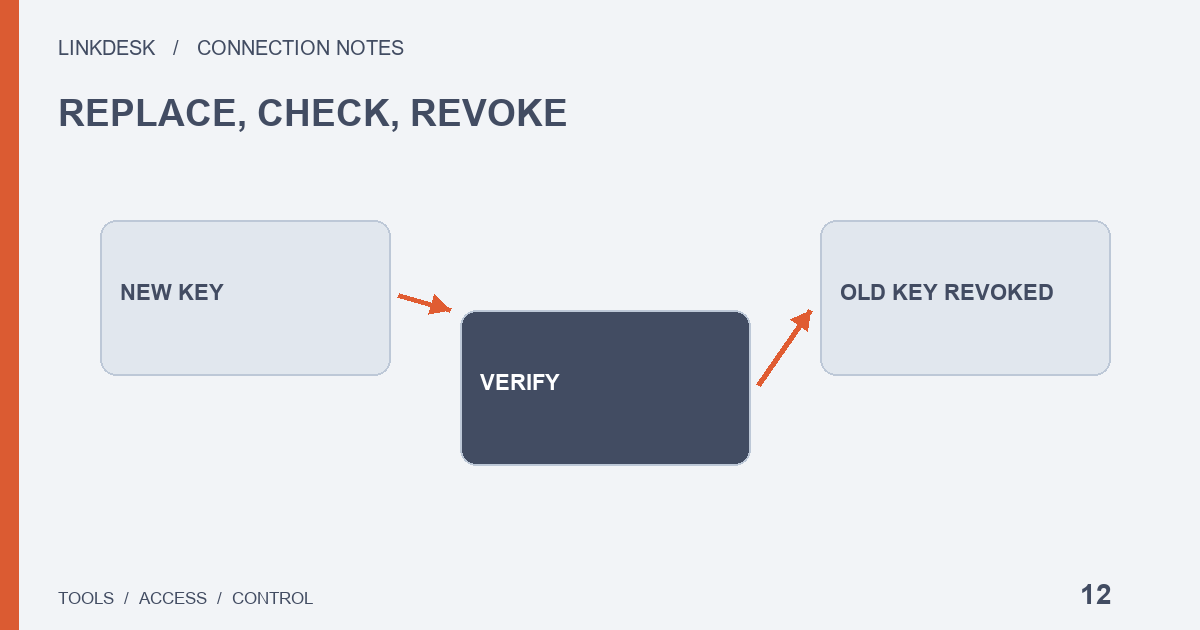
With no sign of exposure, the order is new key, verify, then revoke the old one — at a time when you can inspect the result.
Before the switch: map who uses the key
A dashboard, history importer and personal script might share one credential. List the consumers, runtime locations, owners, storage method and stop procedure without copying the secret; unknown consumers make post-change errors difficult to interpret. Confirm the replacement type and import format are supported, and recheck minimum permissions, environment and outbound IP. The dependency list is an operational map, not another file containing everything needed to access the account.
The switch: prove the new key is the one serving
Pause or carefully switch the relevant jobs, update their configuration and inspect one necessary read. A balance remaining on screen does not prove the new credential loaded: inspect the new job time, configuration label and data timestamp, because a worker retaining old environment variables may still serve the page. If the provider offers only one credential form, ask when saving it reloads the service. This does not promise zero interruption; parallel configurations and restart requirements depend on the specific tool.
After the switch: retire the old one everywhere
- Record the old credential’s revocation on the exchange.
- Clean up old configurations, downloaded files and unnecessary secret copies under your control.
- Check whether scheduled jobs still retry the retired label.
- Ask third parties about material they retain, through their official process.
Deleting a local file and revoking platform authorization address different parts of the problem. Separate credentials for distinct uses make the next targeted revocation easier.
What counts as finished
“Key changed” tells a future maintainer very little. Keep a non-secret record of the affected tool, old stop time, new start time, verified read function, open issues and responsible maintainer. For an incident, also record whether the exposure path was addressed and relevant account activity reviewed, so completed evidence stays distinguishable from assumptions that still need investigation.
Rollback and retirement questions
Can I switch back to the old key if the new one fails?
Only as a maintenance option, and only while that credential remains explicitly trusted and authorized. Do not hide an unexplained migration failure by repeatedly restoring the old secret or testing with a live trade. Restoring service can instead mean pausing synchronization, showing the last data time or waiting for a verified repair; document this boundary before trouble occurs.
Is rollback part of responding to a leak?
No. A suspected leak follows the exposure path above. Bringing back an exposed credential is not an incident response.
Does every connection need a new key?
No. If the dependency inventory reveals a tool with no remaining purpose, retirement can be the correct outcome: stop its jobs, revoke access and address retained copies. A new key is unnecessary merely to give every old connection a fresh date.