Uninstalling or signing out does not revoke API permissions. Handle the relevant key in official API Management and review tasks that may still be active.
Normal departure or suspected exposure?
Decide this first, because it sets the order of everything below. A normal departure may follow a finished trial, changing tools or no longer needing reports; you have time to identify connections and dependencies before closing them. Suspected credential exposure is different: prioritize affected access and official guidance instead of waiting for a commercial cancellation process.
A failed dashboard alone does not establish exposure. Conversely, a working dashboard does not make a publicly posted secret trustworthy. Keep connection troubleshooting and exposure response separate, and let records support necessary action rather than delay it.
Find everything the tool still runs
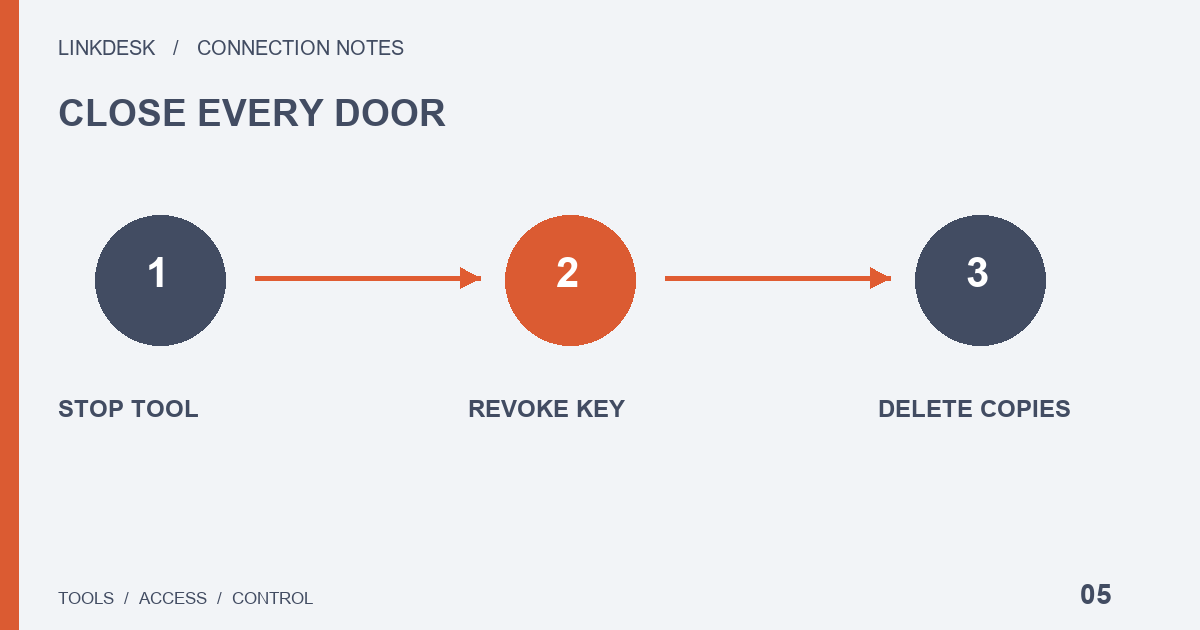
Uninstalling is only one of three separate actions. Stopping a tool, revoking its platform key and deleting retained third-party data are different steps, and finishing one does not prove the other two are complete. Distinct key labels for different tools make it easier to remove one connection without disrupting another.
Match the provider, platform label, environment, location and purpose using non-sensitive records. A desktop installation may coexist with hosted tasks or another machine, so removing one local copy does not establish that every task stopped. Ask what the provider means by pause, stop, disconnect and delete.
If several tools shared one credential, identify the remaining legitimate uses. Do not indefinitely preserve unwanted access merely because another service depends on it; use the supported replacement process so the continuing connections can be managed independently. The rotation guide addresses that separate task.
Revoke the key, then look at the account
If a key may be exposed, revoke the affected key immediately in official API Management. For unusual account activity, follow official instructions to revoke access and contact support. For a normal departure, match the tool, label and purpose before revoking. Nobody needs your old secret to “verify closure.”
Revocation removes access; it does not undo completed trades. Nor should you assume every submitted operation disappears with the connection. Review relevant pending activity in the platform’s official interface — the platform, not this guide, determines order behavior.
Provider data, billing and team access
Read the provider’s retention and deletion policy, then use its official process to disconnect, cancel a subscription or request data deletion. Ask specifically about synchronized records, reports, shared links and retention rather than accepting one vague promise to delete everything. Review cancellation separately and keep its stated scope. Your own exports and collaborators’ copies may need independent handling.
For a team, distinguish member access to the tool, the tool’s platform access and access to reports. Removing one person does not settle every layer. Handover notes should identify continuing purposes, responsible people and outstanding tasks without distributing old credentials through chat.
Closing the record: four outcomes, five checks
Each of these can be complete or outstanding on its own. Record them separately:
| Outcome | Where to confirm it | What it does not prove |
|---|---|---|
| Tasks stopped | The provider’s dashboard or each machine running the tool | That the platform key is revoked |
| Platform access revoked | Official API Management on the platform | That stored reports were deleted |
| Platform state reviewed | Open orders and recent activity in the official interface | That the provider holds no copies |
| Provider account and data handled | The provider’s cancellation and deletion confirmations | That the authorization is gone: cancelling a subscription can stop billing while the key stays valid |
Inspect the visible management result without exposing credentials in a screenshot. When status is unclear, ask official support how to confirm it rather than inventing a live action as a test.
An “unconnected” icon does not prove that historical copies disappeared, and a tool still displaying an old balance does not prove continuing access — it may be showing retained data. Ask whether the record is cached and when it last updated, then work through the box below before you call the departure finished.
- Every running copy and hosted task of the tool is stopped.
- The matching key is revoked in official API Management, and the management page shows that state.
- Pending activity has been reviewed in the platform’s official interface.
- The provider’s cancellation and deletion requests are sent, with their stated scope kept.
- A non-sensitive closure record lists the revocation date, each completed action and anything unresolved.
If you return later, review current compatibility and permissions rather than restoring every old setting: past success does not prove current compatibility. You can keep the maintenance knowledge without keeping an idle credential.
Reconnecting a replacement tool? Map its minimum permissions first ↗