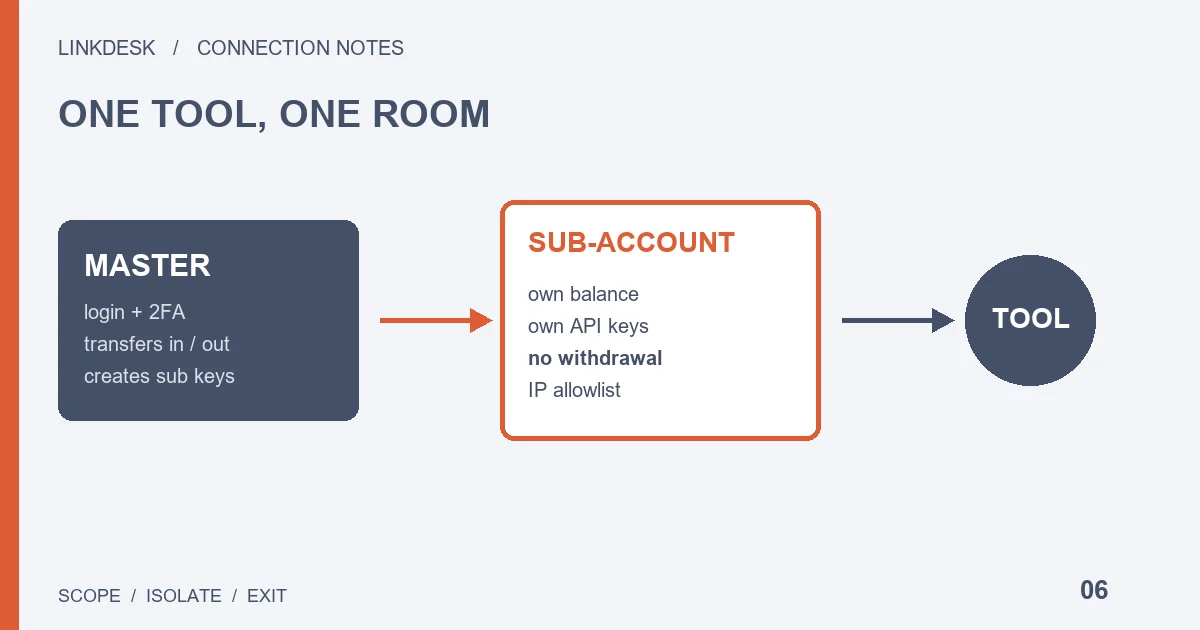
A tool connected through a sub-account key can trade away anything in that sub-account, but nothing outside it. The sub-account cannot withdraw on its own. Keep master-account keys away from the tool, and when you stop using it, delete the sub-account key before moving the funds back.
What a Binance sub-account isolates, and what it doesn’t
Suppose you want to plug a grid bot or a copy-trading service into Binance, but you would rather it never saw, let alone touched, the rest of your holdings. A sub-account is the partition Binance offers for that: it has its own balance and its own API keys, so the tool connects to one room instead of the whole building.
The partition limits scope, not behaviour. Once a tool has trading permission inside the sub-account, it can still swap every asset there or fill the book with orders. What you gain is a cap on how much money a bad run can reach. A bad trade is just as bad.
Read the rest of this guide as a map of where that cap sits, not as proof that a sub-account makes a tool safe.
Before creating one: verification, 2FA and the account limit
Binance’s Help Center page “Binance Sub-Account Functions and Frequently Asked Questions” says the feature is open to users who have completed identity verification and turned on two-factor authentication. There is a cap. Regular users get five sub-accounts; the allowance grows with the master account’s VIP level, up to 200 for an entity account at the top tier. The table on that page is the reference for each level.
Five slots go quickly if every tool gets its own. One tool per sub-account is the easiest setup to read later, but when the slots run out, the next tool has to share an old sub-account or wait until you close one. Deciding up front which tool owns which sub-account saves a lot of shuffling funds between them afterwards.
Sub-accounts can also be created with a virtual email. According to the same page, that email cannot be used to sign in; the sub-account is operated by the master account through the API, and you need to create an API key for it. In practice it is built for programs. You will not log into it on the website, and day-to-day checks happen from the master account.
Where a sub-account API key is created, and who can change it
The Help Center points to the [API Management] tab in sub-account management for creating and editing sub-account API keys. Each sub-account can hold up to 30 keys. Treat that as a ceiling rather than a target: one clearly labelled key per tool is enough, and every extra key is one more thing to identify when you later need to revoke access.
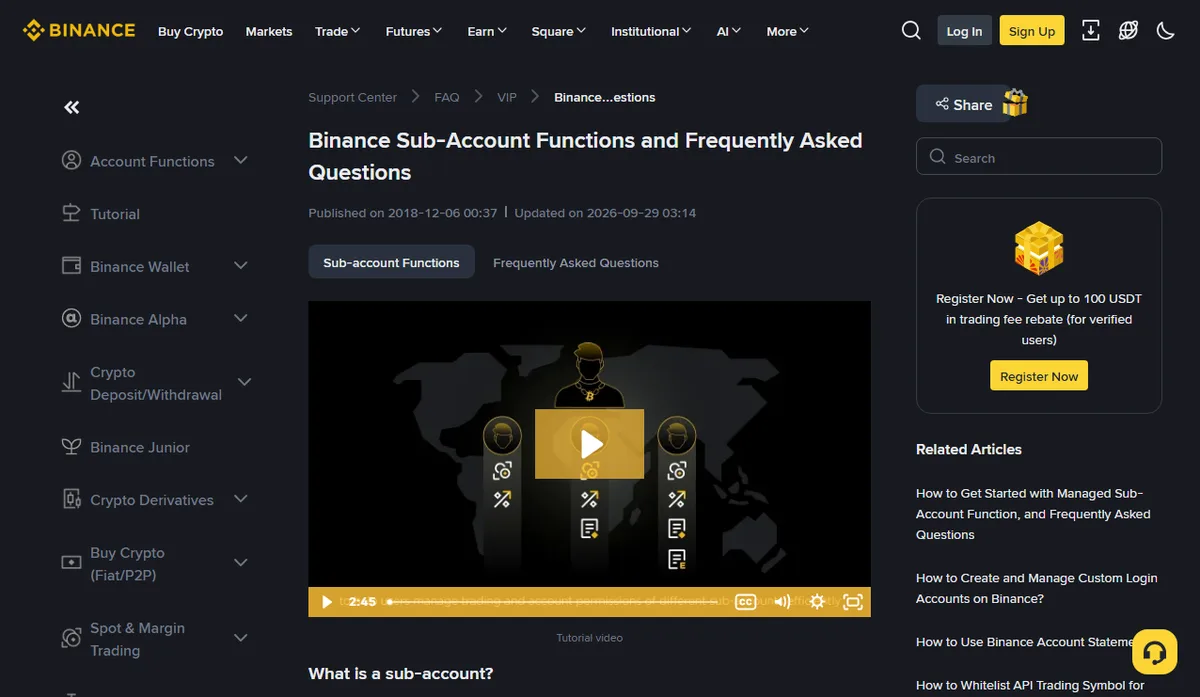
Control sits with the master account.
In the developer documentation, the Sub Account endpoints let the master account create an API key for a sub-account, list the keys a sub-account already has, change a key’s permissions, set or remove its IP restriction, and delete a sub-account key outright. For maintenance that is useful: if the tool’s provider stops answering, you can still pull its access from the master side.
The same documentation lists Managed Sub Accounts as a separate group of endpoints. A managed sub-account is a different product from the ordinary sub-account you create with an email, with its own rules page, so do not carry the conclusions here over to it.
Can a Binance sub-account withdraw?
The Help Center answers no: only the master account can manage asset transfers, and transfers between sub-accounts and third-party accounts are not supported. Moving funds from the master account into a sub-account is instant and free, via [Transfer] under [Asset Management] on the master account.
That rule matters when a tool is involved. On an ordinary key, “withdrawal off” depends on you remembering not to tick the box. On a sub-account, the only way out of the room already leads back to the master account, so even a tool holding trading permission has no route for sending the coins to an outside address.
What the rule does not stop is loss from trading itself: a tool placing a flood of mistaken orders, or filling on a pair with almost no liquidity. Those risks can reach exactly the balance you moved into the sub-account. Size the transfer to what the tool actually needs instead of adding extra “just in case”. For choosing the permission set, compare what read, trade and withdraw access each allow.
A tool asks for your master account API key: stop here
Keys on the master side can do far more than sub-account keys. The sub-account key management endpoints above are called by the master account, and in the requests for creating a key and changing its permissions, the switches for spot and margin trading, futures trading and universal transfer are all filled in from the master side. A master key with enough permission could, in principle, issue new sub-account keys, widen their permissions and rewrite their IP restrictions.
Handing that key to a tool hands over the key to the partition as well. If a tool’s setup notes say something like “enter your master account API so we can manage your sub-accounts in one place”, ask which endpoints it actually calls, why a sub-account key won’t do, and how the master key is revoked on its own once you stop. If those questions go unanswered, assess it as an ordinary master-account connection; none of the isolation described above applies.
A strategy running inside a single sub-account only needs that sub-account’s own key. A dashboard that rolls up several sub-accounts can usually take one read-only key per sub-account rather than a single master key that reaches all of them.
Sub-account API keys still need an IP allowlist
Moving to a sub-account does not waive IP restriction. In the developer documentation, the master account sets a sub-account key’s IP restriction to one of two states: unrestricted, or trusted IPs only. Creating a sub-account key also has an option to name a third party. Which outbound address a cloud tool should register, and what to do when it changes, is covered step by step in the IP allowlist guide.
The part specific to sub-accounts is who can edit the list. Keys can be edited in [API Management] under sub-account management, and the master account can change IP restrictions through the endpoints above. If you manage keys both ways, note in your records where the latest change came from. Otherwise a -2015 error can send you checking an address list that the other side already rewrote.
The Help Center’s related articles include one on adding trading symbols to a sub-account API whitelist. If your tool only trades a handful of pairs, that page is worth reading to see whether the tradable range can be narrowed one more step.
Shutting down a sub-account connection when you stop using a tool
Order matters more than any single step.
- Delete the tool’s key in [API Management] under sub-account management, or from the master account through the endpoint, so it can no longer send requests.
- Check the sub-account for open orders.
- Transfer the remaining assets back to the master account.
Doing it the other way round leaves the tool free to place orders while you are moving funds, and balances and order states end up contradicting each other.
If you also want to close the sub-account, the Help Center lists the preconditions: no assets, no API keys and no open orders. Closing is irreversible and historical order information cannot be recovered, although the slot becomes available again. Export trade history first if you need it for reconciliation or tax. For a pause rather than a goodbye, deleting the key, emptying the balance and keeping the sub-account is also reasonable, and the next tool will not need a fresh slot.
Third-party data, subscriptions and copies outside the platform are covered in the checklist for leaving a tool. If you suspect the key leaked rather than simply retiring it, go to key rotation and emergency revocation first, and delete the key without waiting.
When a separate sub-account isn’t worth it
Read-only dashboards, bookkeeping and portfolio trackers do not need trading permission, so the order-placing risks above never arise. A read-only key on the master account with an IP allowlist is usually enough. Adding a sub-account means one more balance and one more set of transfer records to maintain, and the dashboard would only see the slice of assets inside the sub-account, which defeats its purpose.
The case for a sub-account is a tool that holds trading permission and places orders automatically, especially while you are still trialling it and do not yet know how it behaves. Maintaining one more sub-account is a smaller cost than letting an untested program face the entire master balance. If you are unsure which side a tool falls on, ask how much money you could accept it affecting when it goes wrong; if the answer is less than your master balance, the sub-account is worth opening.
For the permission level itself, run the tool’s purpose through the permission check before deciding whether the key belongs on the master account or a sub-account.