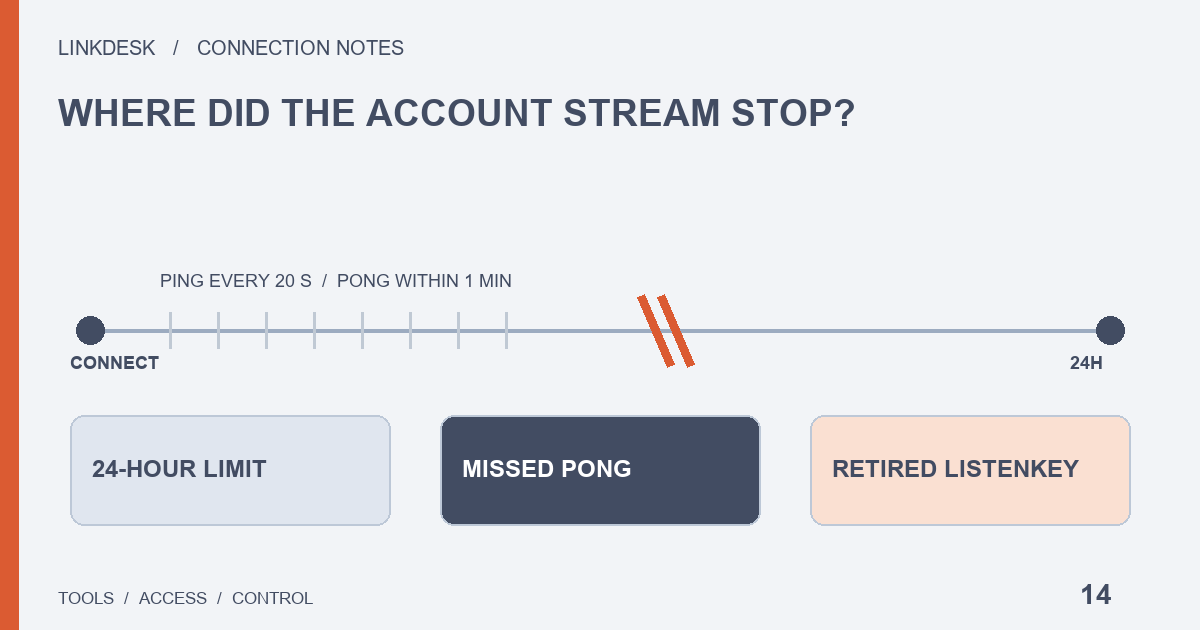
Drops at a fixed time each day point to the 24-hour connection limit. Random drops point to an unanswered ping. A connection that stays up but carries no events means the subscription ended. If updates stopped for good after 2026-02-20, the tool is probably still on the retired listenKey endpoints. The first three are fixed by the tool reconnecting and resubscribing; the last one only by a tool update or a different tool.
First, which stream dropped? Market data and account updates travel separately
Most trading tools keep more than one connection open to Binance. Public market data such as candles, order book depth and recent trades arrives on one. Your own order changes, fills and balance movements arrive on another, which Binance’s developer documentation calls the User Data Stream.
The two are authenticated differently and fail for different reasons. Market data needs no API key at all; the account stream has to be subscribed with the key you handed to the tool. That is why the typical symptom looks like this: the chart keeps refreshing, but a limit order in the tool still shows as open even though the Binance website already lists it as filled.
When you see that mismatch, leave the key permissions alone for now. Read-only and trading permissions decide whether the tool may look things up or place orders; they have nothing to do with whether the stream is connected. With the stream down, a tool can usually still query the REST API on demand, and some fall back to polling on a timer. Updates then arrive later and cost more requests, which brings in the rate limits covered further down.
Why tools still using a listenKey stopped getting updates after February 2026
Older tools subscribe to the account stream like this: call POST /api/v3/userDataStream to obtain a listenKey, open wss://stream.binance.com with it, and keep it alive with periodic PUT calls. On spot, that route is closed.
The Spot API changelog sets out the timeline:
- 2025-04-07: receiving user data on
wss://stream.binance.com:9443with a listenKey is declared deprecated; subscribing on the WebSocket API is the replacement. - 2025-10-24: all listenKey documentation for
wss://stream.binance.comis removed from the spot docs, while the endpoints themselves keep working for the time being. - 2026-01-21: Binance announces that from 2026-02-20 07:00 UTC the following are no longer available: REST
POST,PUTandDELETE /api/v3/userDataStream, plus the WebSocket API methodsuserDataStream.start,userDataStream.pinganduserDataStream.stop.
A tool whose connection code has not been updated since that date either cannot get a listenKey or cannot renew the one it has. The pattern is distinctive: market data is fine, the account stream died on a particular day and never came back, and restarting the tool changes nothing. Nothing on your side of the account will fix it. A new key, extra permissions or a different IP allowlist will not bring it back. Check the tool’s release notes or support pages for a move to WebSocket API subscriptions. If it has not moved, contact the maintainer, or switch off its automated trading until it does, so it is not placing orders based on order states that are no longer current.
This retirement applies to spot. Margin accounts have a separate listenToken subscription in the official docs, and futures and other product lines have their own user data stream documentation, so the rules here do not carry over directly.
The two current ways to subscribe, and why your key type matters
Today the spot account stream is subscribed on the WebSocket API connection, wss://ws-api.binance.com:443/ws-api/v3. The documentation offers two ways to start a subscription:
userDataStream.subscribe: the connection first logs in as a particular key withsession.logon, then subscribes to that account’s events. The docs state that this method requires a WebSocket connection authenticated with an Ed25519 key.userDataStream.subscribe.signature: no login first; every subscription request carries the API key, a timestamp and a signature. According to the changelog it does not need an Ed25519 key and works with any API key type, HMAC and RSA included.
That has practical consequences for the key you hand over. Say you created an HMAC key for a tool and it now tells you real-time updates need an Ed25519 key. It is using the first method. You can create an Ed25519 key as asked, or ask the maintainer whether the tool can switch to signature subscriptions. Changing the type means creating a new key, so remember to delete the old one afterwards; the order of steps is in planned key rotation versus immediate revocation, and the differences between key types are in HMAC, RSA or Ed25519.
Signature subscriptions also bring a maintenance detail with them: because they carry a timestamp, a drifting device clock can make them fail, just as an ordinary signed request fails with -1021. The way to check is the same; see diagnosing -1021 and -1022. Note too that session.logout only closes subscriptions created with the first method. Signature subscriptions survive it and have to be closed with userDataStream.unsubscribe.
It drops at about the same time every day: the 24-hour connection limit
Of the patterns in this guide, this is the least worrying.
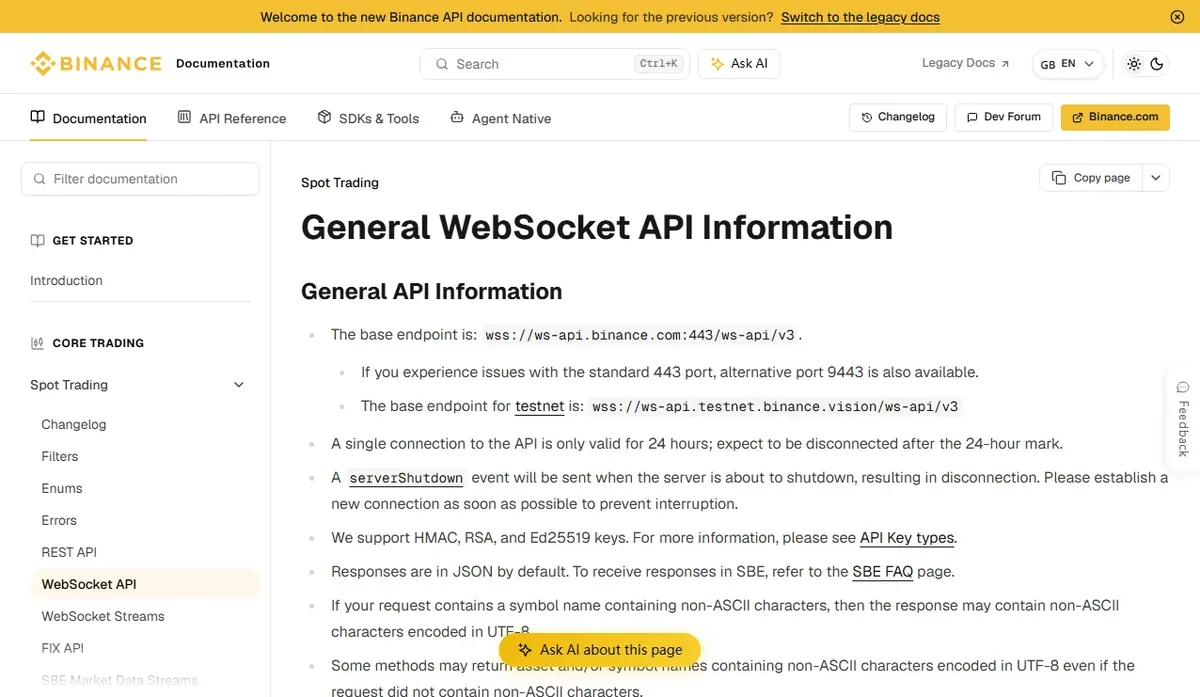
The documentation is blunt about it: a single connection is only valid for 24 hours, and you should expect to be disconnected after the 24-hour mark, so reconnecting is the client’s job. Before server maintenance Binance also sends a serverShutdown event and then disconnects, and asks clients to open a new connection as soon as possible.
The catch is that subscriptions live on the connection. When the connection goes, its subscriptions go with it. Once the new connection is open, the tool has to log in or send a signed subscription again; nothing is restored automatically. In a well-maintained tool you will see a reconnect followed by a resubscribe in the logs roughly once a day, and almost nothing in the interface.
If instead the updates stop after the same hour every day and only come back when you restart the tool by hand, the tool reconnects but does not resubscribe, or its resubscription fails without saying so. Only the tool’s developers can fix that. What you can give them is the time of day it starts.
Drops at random times: the ping every 20 seconds went unanswered
Under the current documentation, the server sends a ping frame every 20 seconds and disconnects if no pong comes back within a minute. On receiving a ping, the client should reply as soon as possible with a pong carrying the same payload. Sending pongs unprompted is allowed, but the docs point out that it will not prevent disconnection.
Some older forum answers still say the ping arrives every three minutes. That was an earlier rule; go by the current version of the developer docs when troubleshooting.
For random drops, start with where the tool runs. A desktop app on a laptop stalls when the machine sleeps, the lid closes or the network changes, so it cannot answer the ping. A tool on a cloud server or in a container can miss it when resources are exhausted or the process hangs for a while. Whether the tool’s WebSocket library answers pings automatically is for the maintainer to confirm; no account setting changes it.
What separates this from the 24-hour limit is the lack of a pattern. Write down the times of the last few drops. Gaps close to 24 hours belong to the previous section; irregular gaps that line up with the laptop sleeping or the server being under load belong here.
Still connected, but no events: the subscription itself has ended
A quieter failure: the connection stays up, the tool’s heartbeat indicator stays green, and yet account events stop arriving.
The user data stream documentation lists when an eventStreamTerminated event is sent. Two of the cases apply to spot: a login-based subscription ends after session.logout, or a subscription is stopped with userDataStream.unsubscribe. After that event the subscription delivers nothing more. A tool that calls either method when switching accounts or signing out, and then never subscribes again, ends up here.
The tool can check this with session.status: its userDataStream field is true when at least one subscription is active and false when there are none. session.subscriptions lists every active subscription.
One more limit matters for tools that manage many accounts: only one subscription per account is allowed on a single connection.
Reconnecting too eagerly can drag a shared IP into rate limits
Reconnecting after a drop is right. How fast you reconnect is where it goes wrong.
WebSocket API connections are counted per IP address. When we read the WebSocket API rate-limit page in October 2026, it allowed 300 connection attempts per IP every 5 minutes and charged 2 request weight for each new connection; these limits are Binance’s to change, so the live page is the one to trust. Weight is also counted per IP, so every connection behind the same outbound address draws on one shared allowance. Go over it and requests fail with 429. Keep hammering after 429s and the IP is banned automatically; requests from a banned IP fail with 418, and bans for repeat offenders grow longer, anywhere from 2 minutes to 3 days.
A tool that reconnects instantly, with no pause and no cap, can push itself over that line on a shaky network. Cloud tools make it worse, because several customers may share one outbound IP, and one user’s reconnect storm can take down other connections from the same server. Waits between reconnects should grow each time, and a 429 should stop the tool until the time given in the response’s retryAfter. It is the same discipline as for rate-limited REST requests, covered in pause on 429.
One easily missed point: the official documentation does not say that account events from the gap are delivered after a reconnect. The safe practice is to re-check open orders and balances through the query endpoints after every successful resubscription, and only then rely on the stream again. A tool that skips this may go on acting on an order it believes is still open, when it has already been filled or cancelled.
Before you contact the tool’s maintainer, gather these details
When the cause sits in the tool’s reconnect or keep-alive logic, the fix is a code change or an update from its developers. Your part is to describe what happened precisely enough for them to locate it, without giving away anything secret.
- When the drops happened (with the time zone), and whether they recur roughly every 24 hours.
- Whether market data kept updating at the same time, which separates an account stream problem from a dead network.
- The tool’s current version and when it was last updated, especially whether it has been updated since 2026-02-20.
- Which type of key you gave it: HMAC, RSA or Ed25519 (the type only, never the key itself).
- Where the tool runs: your own computer, a cloud server or the developer’s hosted service, and whether your computer was asleep.
- The exact wording of any error in the interface or logs, such as 429, 418 or a negative error code.
Never send your API key, secret, private key file or a signature to anyone, including someone who says they are from support. To triage the error code itself, start with checking -2015, -1021, -1022 and 429, or select it in the API error code lookup on the tools page to see what to look at next.
If the developers are slow to fix it and the tool holds trading permission, the safer move is to switch off its automated ordering first and, if needed, delete the key. An automated tool that cannot see real order states is riskier than going without it for a while.